Hey there! As a supplier of Power Press Second Hand, I've seen my fair share of used power presses. In this blog, I'm gonna share with you the wear-and-tear indicators of second-hand power presses. Knowing these signs can help you make a smart purchase and avoid getting stuck with a lemon.
1. Physical Appearance
Let's start with the obvious - the physical look of the power press. When you're checking out a second-hand machine, take a good long look at its exterior.

Rust and Corrosion
Rust is a major red flag. It's not just an eyesore; it can seriously weaken the structural integrity of the press. Check areas like the frame, columns, and the base. If you see patches of rust, it could mean the machine has been exposed to moisture or hasn't been properly maintained. A little surface rust might be okay, but if it's deep and widespread, it's a sign of long-term neglect. For instance, if the rust has eaten into the metal on the frame, it could lead to cracks and structural failures down the line.
Cracks and Dents
Cracks are another big problem. They can appear on the frame, flywheel, or other critical components. Even small cracks can grow over time, especially with the constant stress and vibration that power presses are subjected to. Dents might not seem as serious, but they can also affect the alignment and performance of the machine. If you notice any cracks or significant dents, it's best to be cautious.
Paint Condition
The paint on the power press can tell you a lot about its history. If the paint is peeling, chipping, or has a lot of scratches, it could indicate rough handling or a lack of proper maintenance. A well-maintained machine usually has a relatively intact paint job. However, keep in mind that a fresh coat of paint could also be used to cover up some flaws, so don't be fooled by a shiny exterior.
2. Mechanical Components
The mechanical parts of a power press are where the real action happens, and they're also the parts that are most likely to show signs of wear and tear.
Flywheel
The flywheel is an important component that stores energy and helps keep the press running smoothly. Check for signs of uneven wear on the flywheel's surface. If it's wobbling or making strange noises when the press is running, it could mean the bearings are worn out or the flywheel is out of balance. A damaged flywheel can cause the press to operate inefficiently and put extra stress on other parts of the machine.
Clutch and Brake
The clutch and brake system is crucial for controlling the movement of the press. Test the clutch and brake to make sure they engage and disengage smoothly. If there's a delay or if they're making grinding or squealing noises, it could indicate worn friction surfaces or hydraulic problems. Faulty clutch and brake systems are not only a safety hazard but can also lead to inaccurate stamping or punching.
Slide and Guideways
The slide is the part of the press that moves up and down to perform the stamping or punching operation. Check the slide for excessive play or side-to-side movement. Worn guideways can cause the slide to move unevenly, resulting in poor-quality parts and increased wear on the tooling. Look for signs of scoring or galling on the guideways, which can indicate a lack of lubrication or excessive friction.
Gearbox
If the power press has a gearbox, inspect it carefully. Listen for any unusual noises, such as whining or grinding, which could be a sign of worn gears or bearings. Check the oil level and the condition of the oil. Dirty or contaminated oil can accelerate wear and damage the gearbox. Also, look for any signs of leaks around the gearbox, as this could indicate a problem with the seals.
3. Electrical System
In today's modern power presses, the electrical system plays a vital role in controlling the machine's operation.
Wiring and Connections
Check the wiring for any signs of damage, such as frayed wires or loose connections. Faulty wiring can cause electrical shorts, which can not only damage the machine but also pose a safety risk. Look for signs of overheating, such as melted insulation or discolored wires. Make sure all the connections are tight and secure.
Control Panel
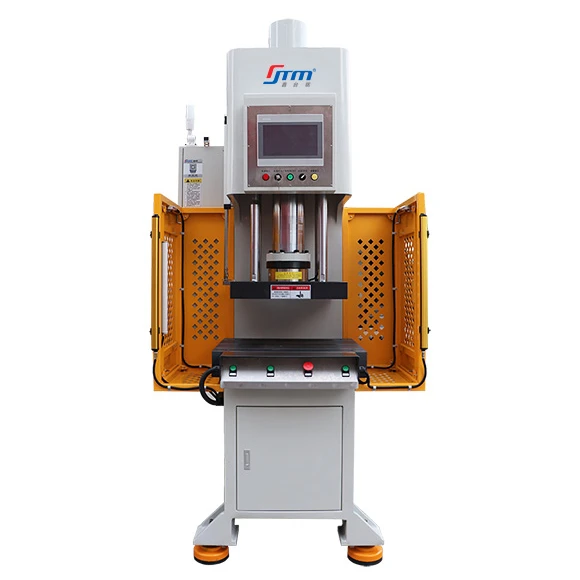
The control panel is where you operate the power press, so it's important to make sure it's in good working condition. Test all the buttons, switches, and indicators to make sure they're functioning properly. If any of the controls are unresponsive or if the indicators are not working correctly, it could indicate a problem with the electrical system or the control board.
Sensors and Safety Devices
Modern power presses are equipped with various sensors and safety devices to protect the operator and the machine. Check that all the sensors, such as light curtains, proximity sensors, and overload sensors, are working properly. Make sure the emergency stop button is easily accessible and functions correctly. Faulty safety devices can put the operator at risk and can also lead to costly damage to the machine.
4. Operational Performance
The best way to assess the wear and tear of a second-hand power press is to see it in action.
Noise and Vibration
When the press is running, listen for any unusual noises or excessive vibration. A well-maintained power press should operate relatively quietly and smoothly. Loud knocking, rattling, or grinding noises can indicate problems with the mechanical components, such as worn bearings or loose parts. Excessive vibration can also be a sign of misalignment or imbalance.
Speed and Stroke
Check the speed and stroke of the press to make sure they're consistent and within the specified range. Inconsistent speed or stroke can affect the quality of the parts being produced and can also put extra stress on the machine. If the press seems to be running too slow or too fast, it could be a sign of a problem with the drive system or the control settings.
Tooling Compatibility
If possible, test the press with some sample tooling. Make sure the tooling fits properly and that the press can perform the required operations accurately. If the tooling doesn't fit or if the press has difficulty stamping or punching the parts, it could indicate problems with the alignment, the slide movement, or the tonnage capacity.
Why It Matters to You
As a buyer, understanding these wear-and-tear indicators is crucial. You don't want to end up with a second-hand power press that requires a lot of expensive repairs right after you buy it. By being able to spot these signs, you can negotiate a better price or avoid a bad deal altogether.
At our Power Press Second Hand business, we take pride in thoroughly inspecting all our machines before offering them for sale. We make sure to address any wear-and-tear issues and only sell machines that are in good working condition.
If you're in the market for a Power Press Machine Second Hand or a Hand Power Press, don't hesitate to reach out. We're here to help you find the right machine for your needs. Whether you're a small business looking for an affordable press or a large manufacturer in need of a reliable second-hand option, we've got you covered. Contact us today to start the purchasing process and let's find the perfect power press for your operation.
References
- American National Standards Institute (ANSI). (2012). Safety requirements for mechanical power presses. ANSI B11.1-2012.
- British Standards Institution (BSI). (2009). Safety of machinery - Safety requirements for presses and press brakes. BS EN 692:2009.
- Society of Manufacturing Engineers (SME). (2015). Metalforming handbook: A guide to stamping, forming, and fabricating. SME.